Building Our First Gaming PC
We built our first gaming PC at home. This post has the parts list, the costs, the one mistake I made, and the one lesson I learned.
The shopping trip
The best part of the project was not the PC. It was the shopping trip.
I took my two sons to SP Road in Bangalore. Rithun is 8. Viyan is 4. No mom, no rules.
SP Road is a street of small shops. Each shop has graphics cards and PC cases stacked to the ceiling. For an 8-year-old, this is a theme park. For a dad who wants to negotiate prices, this is chaos.
Why a PC
Three people had three needs:
- My sons wanted a machine for games and school work.
- My wife is a civil and structural engineer. Her design tools need a fast machine.
- I wanted a reason to buy expensive computer parts.
I called it “for the family”. Nobody argued.
The research
I set a budget of ₹1.5 lakh. Then I compared processors, graphics cards, motherboards, and coolers for many days.
Three decisions shaped the build:
- AMD, not Intel. The Ryzen 7 9800X3D has 3D V-Cache, which helps games. The AM5 socket gives an upgrade path for several years.
- RTX 5060. It has the best price for 1440p gaming at this budget.
- Liquid cooler, not air. An AIO cooler keeps temperatures lower and looks cleaner.
Then the budget moved. 16 GB of RAM became 32 GB. The 240 mm cooler became a 360 mm cooler. ₹1.5 lakh became ₹2 lakh.
This happens to every person who builds a PC.
The parts
We bought all parts on 4 July 2026 from Ankit Infotech, SP Road, Bangalore.
| Part | Cost |
|---|---|
| CPU | ₹40,000 |
| RAM | ₹35,593 |
| GPU | ₹33,051 |
| Motherboard | ₹19,958 |
| Storage | ₹15,254 |
| Cooler | ₹9,500 |
| Case | ₹7,364 |
| PSU | ₹7,076 |
| Windows | ₹5,900 |
| Part | Model | Price (₹, before GST) |
|---|---|---|
| CPU | AMD Ryzen 7 9800X3D | 40,000 |
| RAM | Corsair Vengeance 32 GB (2×16) DDR5 6000 MHz | 35,593 |
| GPU | MSI RTX 5060 8 GB Gaming OC | 33,051 |
| Motherboard | MSI B850 Tomahawk Max WiFi | 19,958 |
| Storage | WD Black SN7100 1 TB NVMe SSD | 15,254 |
| Cooler | Arctic Liquid Freezer III Pro 360 ARGB | 9,500 |
| Case | Corsair 3500X ARGB mid tower | 7,364 |
| PSU | MSI MAG A750GL PCIe 5, fully modular | 7,076 |
| OS | Windows 11 Pro licence | 5,900 |
Parts total ₹1,73,696 before GST. With 18% GST, I paid about ₹2,03,900.
Steam game purchases are not in this table. I know the number. I will not write it here.
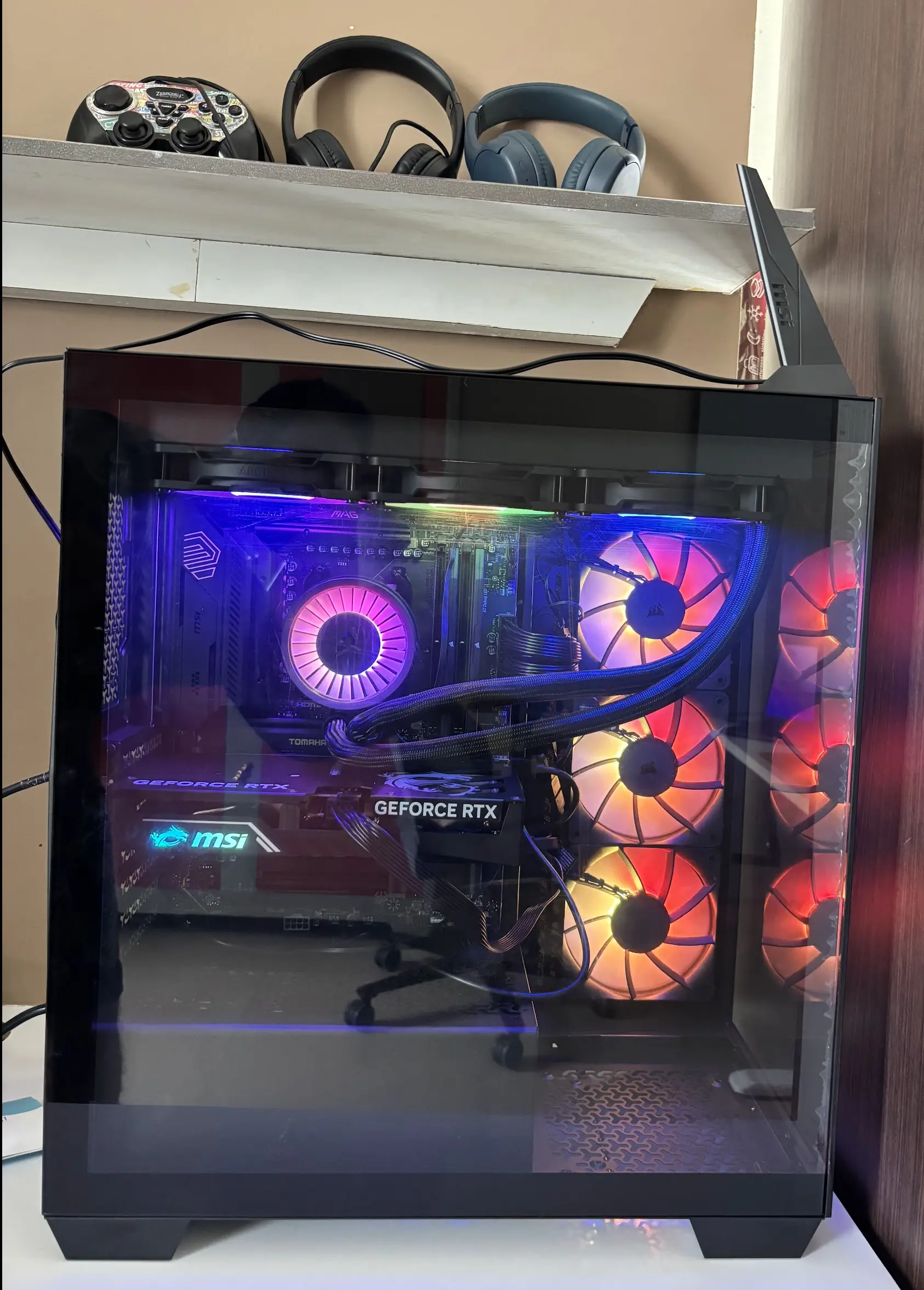
The build
The shop offered to assemble the PC. I built it at home instead. Rithun and Viyan sat next to me the whole time and asked a question about every part.
- Why is it called a motherboard?
- What happens if you touch that?
- Can I hold the processor?
No, Viyan. Please never hold the processor.
Rithun asked the hardest question: if there is a motherboard, where is the fatherboard?
I had no answer then. I do now.
The fatherboard is the graphics card. The system runs fine without it. It is expensive. It is loud about itself. It gets all the attention. It shows up for the fun parts. The motherboard holds everything together and gets no credit.
I looked at my wife. I decided not to say this out loud.
The hard steps were the CPU cooler and the front-panel cables. The cables are small. Two kids leaned in close for both steps.
The mistake
After the first boot, two things were wrong. The cooler LED did not light up. The CPU temperature went up to 90 °C.
I thought the cooler screws were tight enough. I was afraid a tighter screw would crack the processor. So I stopped.
I went back to the shop, alone this time. The technician took a screwdriver and tightened the same screws with much more force. The LED came on. The temperature dropped below 50 °C. The fix took 30 seconds.
Lesson: cooler screws need more force than a nervous dad wants to apply.
Was it worth it
My kids played their first game on this machine. Their faces made the research hours worth it.
I do not like video games. After ten minutes in any game, my head hurts. I prefer a football or a running track.
I like the hardware. The cooling, the lights, the way the parts fit together. I built the machine and I like it. I will probably never play on it.
The machine may still serve me. A bigger graphics card would let me run local LLMs for my own tests. The kids get their games. I get an AI lab.
Comments